A successful SEO strategy has many elements including on-page content, keywords, and technical optimisation. How well your website is connected via internal and external links is also a key element of effective SEO. When used strategically, links act like digital signposts, helping users and search engines understand your website’s structure, relevance, and authority.
We often find that businesses underestimate the true power of adding links to their site. Whether it’s improving navigation through internal links or building trust through quality external links, hyperlinks play a critical role in helping your site to climb higher on search engines.
What Are Internal and External Links?
Internal links connect pages within your own website. They guide users and search engines to related content, helping search engines to understand how your pages fit together. For example, linking from your blog post to a related service page such as our SEO Services, gives context to Google about which page is most relevant for the particular topic.
External links, on the other hand, point from your website to another site. When used wisely, these links add credibility and context. They demonstrate to search engines that your content is well-researched and is supported by trusted sources.
The key difference is in ownership, internal links stay within your domain, while external links take readers to other trustworthy websites that support your claims or enhance the user experience.
Another important category of links for SEO is backlinks – links pointing from other websites to yours. We already have a comprehensive help article on backlinks, which is well worth checking out in conjunction with this one.
Why Internal Links Matter for SEO
1. Internal Links Help Google to Understand the Structure of Your Site
Internal links form the framework that Google uses to navigate your website. When crawlers follow internal links, they discover how pages are related and which ones are most important. The more internal links a page has, the higher its perceived importance in Google’s eyes.
Strategically linking key pages like your main service areas creates content clusters around these pillar pages, and ensures that search engines prioritise them in their index.
2. Internal Links Improves User Experience and Engagement
Visitors use internal links to explore related topics and to gain more value from your content. If someone reading a blog post clicks through to a related blog post or a related product, they stay longer on your site, and visit more pages. The extended dwell time and multiple pages visited signals to Google that your content is engaging and useful.
3. Internal Links Help to Distribute Page Authority
Internal links act as bridges that pass “link equity” between pages. When a high-performing page links to another relevant page, it shares some of its authority, helping that page to rank better. To boost a key landing page that you’re trying to rank, wherever relevant, link to it from important places, such as your website’s homepage and the header navigation menu.
Best Practices for Internal Linking
To gain the most from internal links, aim for clarity, balance, and strategy. Here are a few principles that underpin a successful internal linking approach:
- Use descriptive anchor text: Instead of saying “click here”, use specific wording that reflects the linked content, like “read our complete SEO Glossary of Terms”.
- Keep it relevant: Only link to pages that genuinely add value to the topic.
- Avoid over-linking: Too many links can confuse readers and search engines.
- Regularly audit your links: As your site grows, review your link structure to ensure older pages are still accurate and useful. A common mistake is to not add new internal links pointing to new pages, and then wonder why they don’t rank as well as older pages that have plenty of internal links pointing to them.
When reviewing link health, we do a technical SEO audit to identify broken or outdated links. This ensures that every link continues to contribute positively to SEO performance. Explore our guide on Technical SEO Audits: Prioritising and Resolving the Most Critical Errors.
How External Links Strengthen the SEO of Your Site
External links are sometimes seen as an SEO risk, but when used correctly, they can boost your credibility and ranking potential.
1. External Links Build Trust with Search Engines
When your content has links to reputable websites, it shows Google that you’re part of a trustworthy online ecosystem. Linking to credible studies, publications, or industry experts adds authenticity to your page and improves your chances of ranking for competitive keywords.
2. External Links Create Opportunities for Backlinks
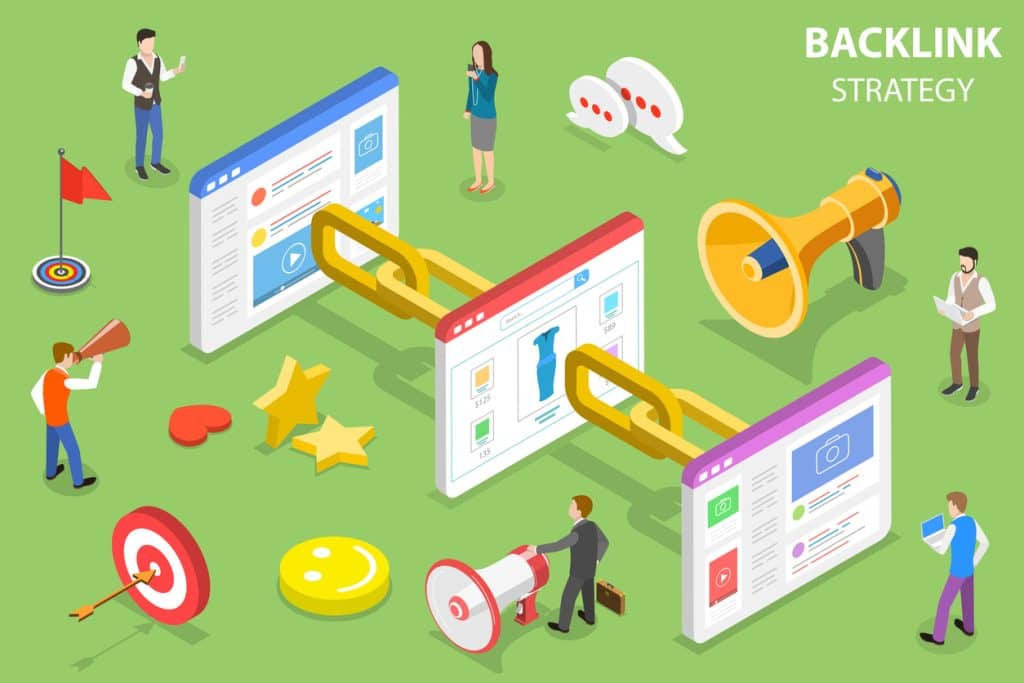
By linking to relevant, high-quality websites, you naturally build relationships that can lead to valuable backlinks in return. Backlinks are one of the strongest ranking signals in SEO, acting as votes of confidence from other domains.
To learn more about earning backlinks effectively, see our guide on Backlinks in SEO. The guide explains how backlinks work, why quality matters more than quantity, and what makes them a natural linking profile.
3. External Links Provide a Better User Experience
External links can enhance your content by giving readers additional resources, such as expert insights or official data. This not only improves trust but also helps visitors to see your content as a well-rounded, authoritative source.
External Linking Pitfalls To Avoid
1. Avoid linking out to competitor websites
While this one may sound obvious, if your competitors have good helpful content in their blogs, it is easy to link out to what sounds like an unbiased 3rd party article, and not notice that the article resides on a competitors website, and your link would therefore take your website traffic over to your competitors website.
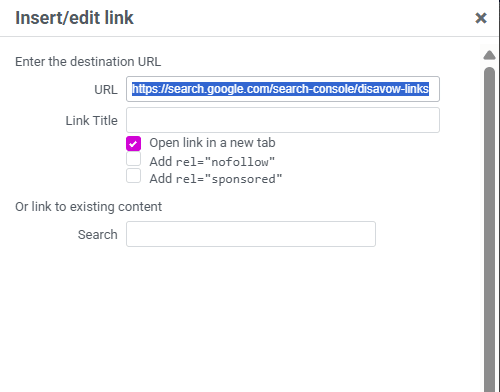
2. Set links to open in a new tab or new window
By default, many WordPress websites and other CMS platforms will create links that do not open in a new browser tab window, but instead replace the current webpage you’re viewing, when you click on them. This will take people away from your website, and they may not be able to find their way back easily. It will also give Google the impression that people don’t like your website, as they have browsed away from it. Whereas if you set up your external links to open in a new window or tab, then the original page will remain open on the user’s web browser, allowing them to go back there easily, and giving positive signals to Google when the tab stays open for longer, especially if the user returns to the tab and continues to browser your website.
The Relationship Between Internal and External Links
Internal and external linking are two sides of the same SEO coin. Internal links help search engines to understand your content, while external links demonstrate your connection to the wider web.
A page that combines internal links and external links, creates a stronger experience for users and a clearer signal to Google about your authority.
What Happens When You Have Poor or Missing Links
Without effective linking, even great content can remain hidden. Poor internal linking means that search engines may not find all your pages or may struggle to understand their importance.
Similarly, failing to include external links can make your content seem insular or poorly referenced. It’s a signal to Google that your page might not provide the best user experience compared to others that reference authoritative sources.
External links pointing out from your website to spammy websites may indicate to the search engines that your website is being used as a ‘link farm’, or for unhelpful promotional purposes. If you have links that take your website uses to low quality or spammy or incorrect information, then Google will not want people to find your website in the first place.
Bad or spammy backlinks can also harm your site’s reputation. If your website has been targeted by spammy or irrelevant sites, it’s crucial to take action. Our guide on How to Disavow Spammy Backlinks explains how to use Google’s Disavow Tool safely to protect your site’s credibility.
Linking and Content Quality Go Hand in Hand
Adding more links will only help your SEO if the content itself delivers value. Every link should exist for a reason, to help users to find related information, support your arguments, or enhance understanding.
We see this as part of a bigger picture. Rather than ticking technical boxes, make sure you always create meaningful, interconnected content that genuinely helps your audience. If you’re unsure where to start, explore our Beginners Guide to SEO to understand how different elements like links, keywords, and content all fits together in a long-term strategy.
A Strategic Linking Approach for Long-Term SEO Success
Search engines reward sites that demonstrate depth, expertise, and structure. That’s why every well-planned SEO campaign should include a clear internal and external linking strategy to boost the SEO performance and increase traffic to the site.
This ensures that your SEO performance grows naturally and sustainably, guided by the principles of strategy, execution, and measurable results.
Take Your SEO Results to the Next Level
We appreciate that implementing a thoughtful best-practice SEO strategy as outlined above can take many hours, and you may lack the time and/or skills to put in the effort needed to rank number 1 on Google.
Should you need external help from an SEO agency in this area, our SEO experts can help you to develop a tailored linking strategy that strengthens your website’s visibility, boosts traffic, and enhances your return on investment.
Whether you need a full audit, a review of your content strategy, or hands-on support to build a strong link profile, we’ll guide you in every step of the way.
Ready to improve your SEO performance?
Author
-
Adam started off in Journalism, where he spent 10 years as a sub-editor at the Press Association. While at PA, he joined a burgeoning team focusing on helping clients improve their SEO. After learning the ropes, he left to join an SEO agency, where he became head of content. Educated in both humanities and the sciences, Adam has experience writing SEO-optimised content for a breadth of sectors and industries, from biomedical organisations to door manufacturers, and everything in between.
View all posts